Documentation menu
Vehicle avatars
Draw the user's vehicle as one of MapMap's own cars instead of a dot and an arrow. Four vehicles, City, Tourer, SUV and Van, in eight paints, each standing on a Signal blue disc whose centre is the vehicle's position. They are original MapMap artwork, rendered in 3D and served as pre-rendered sprites, so there is no 3D engine to ship and nothing binary in the SDK.
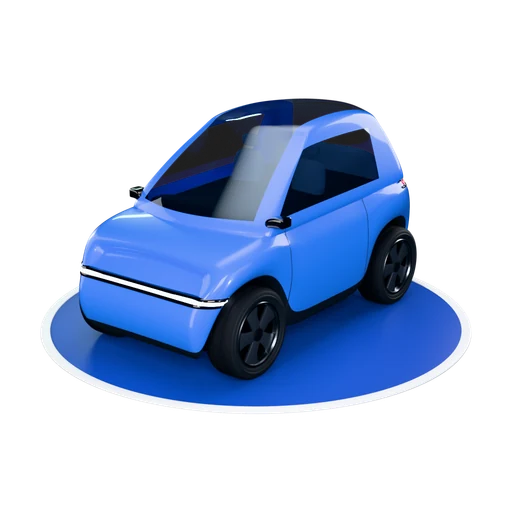
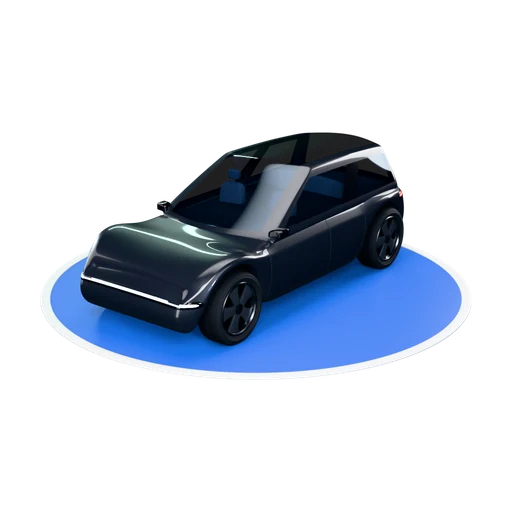
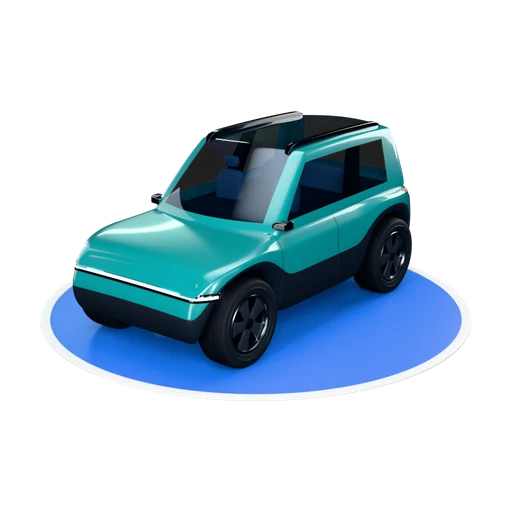
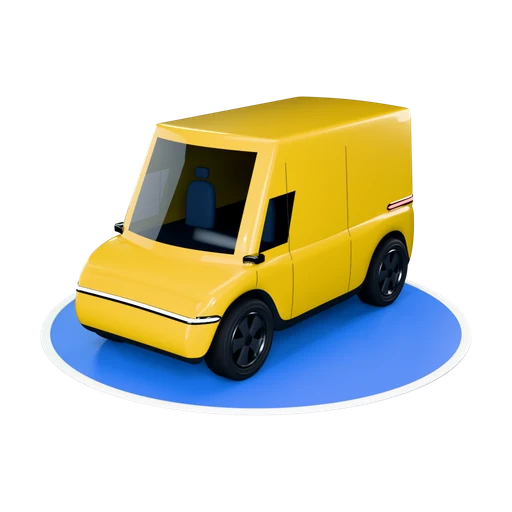
Web SDK: AvatarPuck
AvatarPuck ships in @mapmap/maps 0.13.0 as its own entry point, so
apps that never draw a vehicle never load it. It is a drop-in for
PositionPuck: the same setLocation and remove.
import { createMap } from "@mapmap/maps";
import { AvatarPuck } from "@mapmap/maps/avatars";

const map = createMap({ container: "map", apiKey: "snk_..." });
const car = new AvatarPuck(map, { car: "city", paint: "signal-blue", size: "m" });

navigator.geolocation.watchPosition(({ coords }) => {
  car.setLocation({ lat: coords.latitude, lon: coords.longitude }, coords.heading ?? undefined);
});

car.setAvatar({ car: "van", paint: "sun-yellow" }); // swap, keeps position
car.remove();
| Option | Default | Meaning |
|---|---|---|
car | "city" | "city", "tourer", "suv" or "van" (AVATAR_CARS) |
paint | "glacier-white" | "glacier-white", "signal-blue", "graphite", "silver", "racing-red", "sun-yellow", "teal" or "magenta" (AVATAR_PAINTS; AVATAR_PAINT_HEX has swatch colours) |
size | "m" | disc diameter: "s" 48, "m" 64, "l" 80 CSS pixels, or a number |
interpolate | true | glide between fixes, exactly as PositionPuck |
assetBaseUrl | MapMap's asset host | serve the artwork yourself (see Self-hosting) |
beforeId | on top | insert the vehicle's layer below this layer id |
prefetch | "current" | "all-pitches" also fetches the other tilt buckets once the first is drawn |
onFallback | none | called once if the artwork cannot be used |
await car.whenReady() resolves when the artwork is on the map (or the
fallback is), and never rejects. You do not have to wait for it: a fix
that arrives first is drawn as soon as the artwork is decoded.
How it chooses what to draw
- Tilt. The map's pitch picks a bucket: top-down, 30, 45 or 58 degrees
(switching at 15, 37.5 and 51.5). Steeper cameras, such as
NavigationCamera's default of 60, use the 58 set. - Heading. A tilted view shows one of 36 renders, 10 degrees apart, chosen by the vehicle's course relative to the camera, so the car turns on screen when either the vehicle or the map rotates. The perspective is baked in, so the image stands upright to the screen. The top-down view lies flat on the map and rotates with the course.
- Size and position. The disc is the requested size on screen in every bucket, and its centre sits exactly on the coordinate you pass.
- Loading. Only the bucket on screen is fetched, about 0.4 MB, when the puck is created. Tilting into another bucket fetches that one while the current artwork stays on screen.
- Resilience. The vehicle is re-added after
setStyle. If the artwork cannot be fetched or decoded (offline, a content security policy, an old browser), the puck draws the ordinaryPositionPuckinstead and callsonFallback({ reason })with"load","decode"or"unsupported". Your code keeps callingsetLocationeither way.
Known limits: there is no cross-fade between tilt buckets, and above 58 degrees the car is very slightly under-tilted. One set serves left and right-hand traffic: the artwork has no side-specific detail.
Many vehicles
For a fleet map, draw your own symbol layer with the exported helpers
rather than one AvatarPuck per vehicle:
import { avatarSymbolLayer, avatarFeatureProperties, pitchBucket } from "@mapmap/maps/avatars";

const pitch = pitchBucket(map.getPitch());
map.addLayer(avatarSymbolLayer("fleet", "fleet-cars", pitch));
// each feature's properties:
avatarFeatureProperties("van", "teal", pitch, vehicle.course, map.getBearing(), "s");
The images each feature names must be on the map first; avatarSpriteUrl
and avatarCellRect give you the atlas and the cell rectangles.
The asset contract (iOS, Android, React Native, your own renderer)
The same files serve every platform. MapLibre Native apps add the cells
with addImage and drive a symbol layer from their location updates, using
exactly the rules above.
manifest.json: the catalogue, and per car and pitch the anchor (anchorPx, the disc centre in 1x cell pixels) and the disc width (discPx), plus a sha256 for every file.sprites/<car>/<paint>/p00.webp: the top-down cell.p30,p45,p58: 36 headings each in a 6 by 6 grid of 256 px cells,@2xfor 512 px cells, and a.jsonbeside each atlas with the cell rectangles in the MapLibre sprite shape. Cellh090is the vehicle facing right on screen.models/<car>.glband<car>-lod1.glb: the 3D models for three.js, deck.gl or a native 3D view (metres, +Y up, nose along +X, origin at the disc centre). Repaint by setting thePaint_GlacierWhitematerial's base colour frommodels/paints.json.
To place a pitched cell with its disc centre on the coordinate, centre the
icon and offset it by [128 - ax, 128 - ay] cell pixels, scaled by
size / discPx.
Self-hosting
The artwork is a static, versioned tree. Self-hosted gateways serve it at
/avatars/v1/ from map-assets/avatars/v1/ when map assets are enabled
(SN_MAP_ASSETS_DIR). Download mapmap-avatars-v1.tar.gz from the
web-sdk-v0.13.0 release of the MapMap repository (access comes with
self-hosting), extract it under
map-assets/avatars/ so that map-assets/avatars/v1/manifest.json exists,
and pass your gateway's URL:
new AvatarPuck(map, { car: "suv", assetBaseUrl: "https://maps.example.com/avatars/v1/" });
Files never change inside a version, so any cache or CDN in front of them can keep them for a year.
Licence
The vehicle artwork is licensed separately from the SDK code, under the
MapMap Avatar Artwork Licence v1. In short: free to display in anything
that uses MapMap SDKs, maps or APIs under a valid key or agreement,
including cached and self-hosted copies; not for use with other map
providers, redistribution as an asset pack, resale, logos, or training
generative models. No attribution is needed on the map. Shipped builds keep
working for 90 days if your agreement ends. The full text is on the
licensing page and beside the files as
LICENSE.txt.